Cash flow, cashier, and inventory in one app.
Record sales, track profit, and manage inventory — core features work offline for daily use, and your data stays on your own devices.
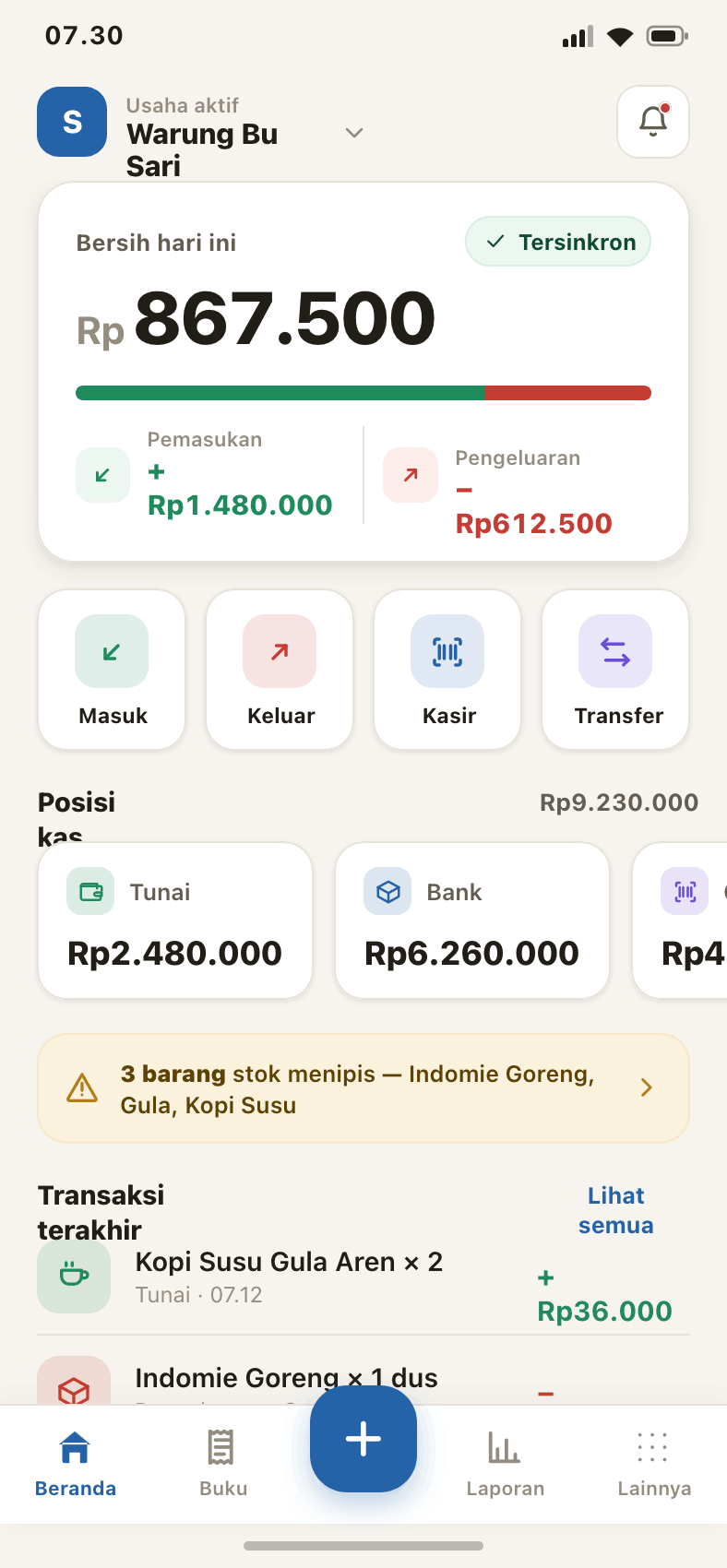
Watch Lamnota in action.
A three-minute tour: open the register, record a sale, and read your profit report — all without internet.
One app, from checkout to reports.
Designed to be used one-handed in a busy shop, on a mid-range phone.
Fast checkout
Serve the queue without fuss. Pick products or scan a barcode, accept cash, QRIS, or e-wallet — even split payments.
Cash flow
Record income and expenses with a number pad. Running balance per account: cash, bank, and e-wallet.
Profit reports
See daily net profit, cash-flow trends, and spending categories at a single glance.
Inventory
Track inventory with variants and low-stock alerts, so you never run out of your bestsellers.
Multi-device
Run the server on one phone, connect other cashiers on the same local network. Data syncs automatically.
Your staff record sales. You keep watch.
One phone is the shop's data hub. Your staff record sales from their own devices, while you track income, profit, and stock in real time.
You hold the server
Run Lamnota on your phone as the shop's data hub — centralized, private, and fully under your control.
Staff record sales
Cashiers sign in from their own phones on the same local network with their own accounts, focused on serving customers.
You sit back and watch the profit
See up-to-date sales, profit, and stock in real time — without standing at the till.
Your device is the hub.
Cash records, checkout, inventory, credit notes (kasbon), and reports work straight from your devices.
Data in your hands
Stored locally on your own devices, not on someone else's server.
Fast & light
Straight from local storage — no waiting on a cloud server.
Smart sync
When connected to the same network, all devices reconcile without duplicates.
without needing internet all the time.
Start free. Grow as you go.
Pay only for what you need. No per-transaction cut.
For a small shop just starting to keep records.
- 2 devices
- 50 products
- 100 records / day
- 14-day history
- Cash flow, cashier & inventory
- Daily & weekly reports
For a growing shop.
Everything in Free, plus:
- 5 devices
- 500 products
- 2,000 records / day
- Unlimited history
- Credit & debts
- Monthly reports
For busy businesses that want full control.
Everything in Lite, plus:
- 10 devices
- 5,000 products
- 10,000 records / day
- Advanced inventory & variants
- Consolidated reports & export
- Customer database
Frequently asked questions
Does Lamnota really work without internet?
Where is my data stored?
How do I connect multiple cashiers?
What happens if I forget my PIN?
Ready to tidy up your shop's finances?
Download Lamnota and record your first sale today. Free, ready to use right away.